Buyers agree before they check out.
AgreeFirst adds a terms checkbox to your cart, drawer and product page, and saves a dated record on the Shopify order. No theme code, no storefront slowdown.
Launching soon on the Shopify App Store · Free plan
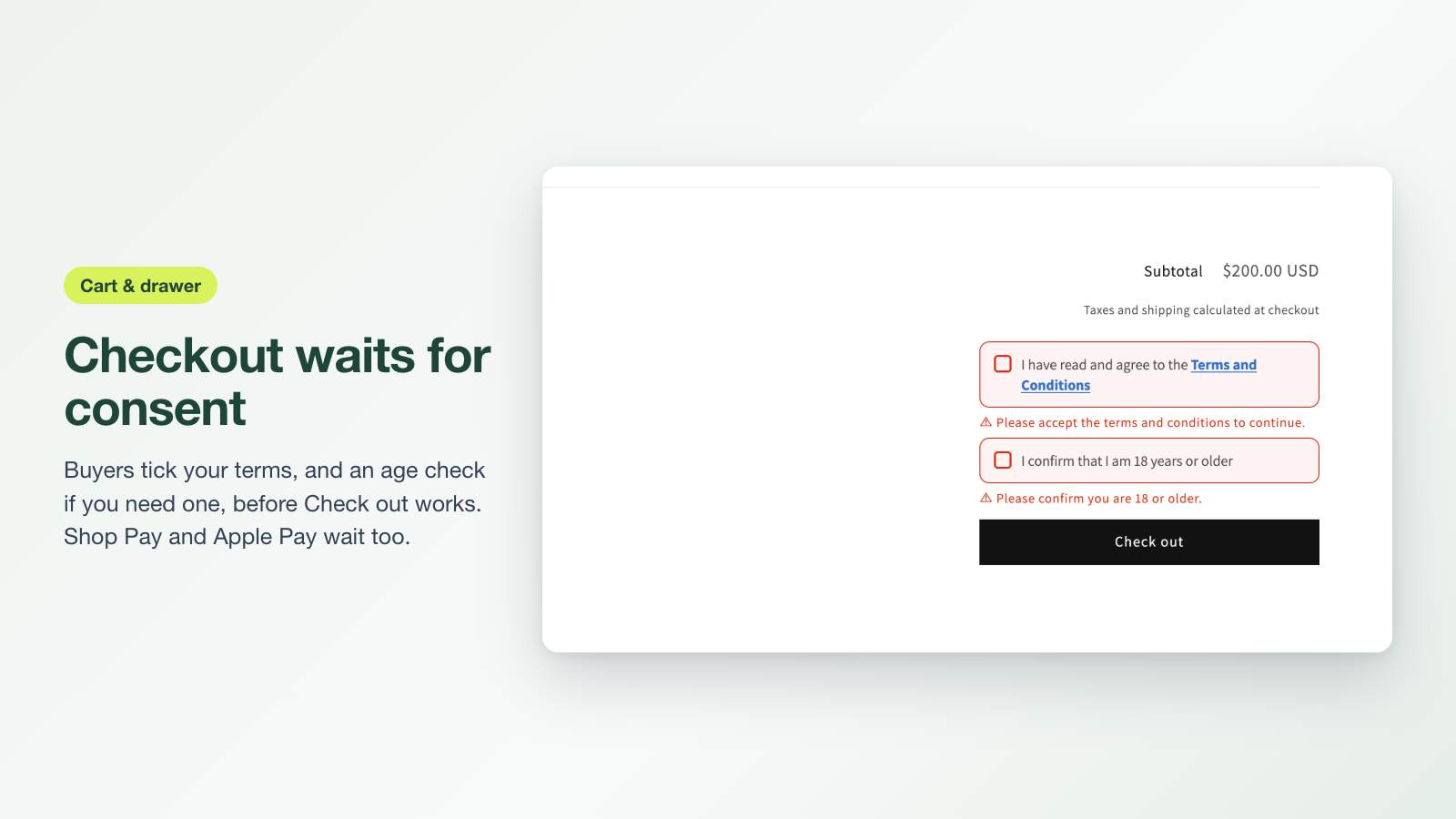
⚠ Please accept the terms and conditions to continue.
Consent you can point to, right on the order.
For stores with return rules, pre-orders, custom work, digital goods or age-restricted products.
Cart, drawer and product page
The checkbox appears next to Check out wherever buyers start checkout, found automatically on most themes.
Express buttons wait too
Shop Pay, Apple Pay and Google Pay stay paused until the box is ticked, so nobody skips past your terms.
A record on the order
Date, time and terms version land under Additional details on the Shopify order, with a line on the thank-you page.
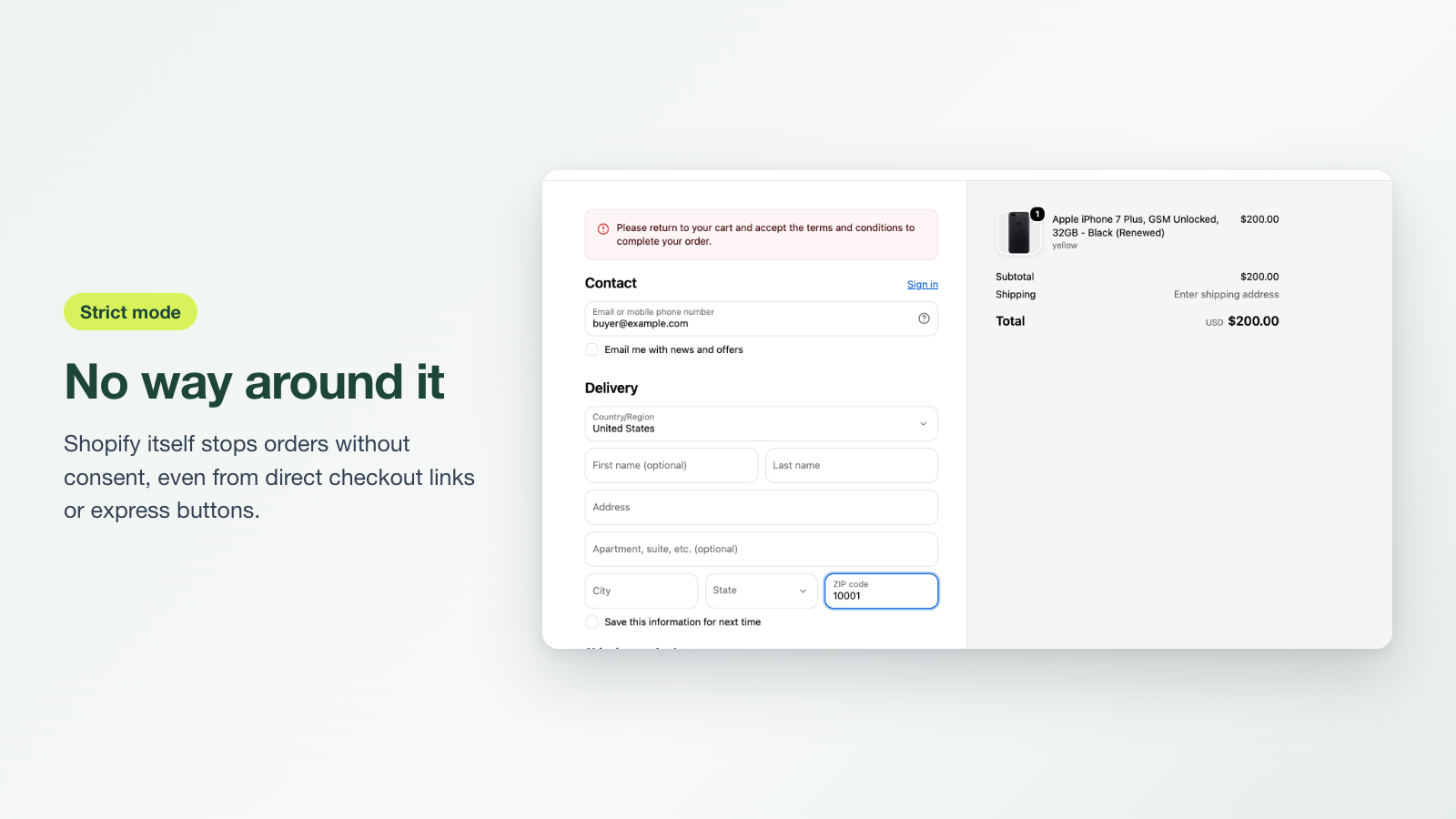
Strict mode
A Shopify checkout rule blocks orders without consent, even from direct checkout links or buyers with JavaScript off.
Age checks and extra boxes
Add an 18+ confirmation or final-sale notice, each saved on its own line, and show it only for certain products or countries.
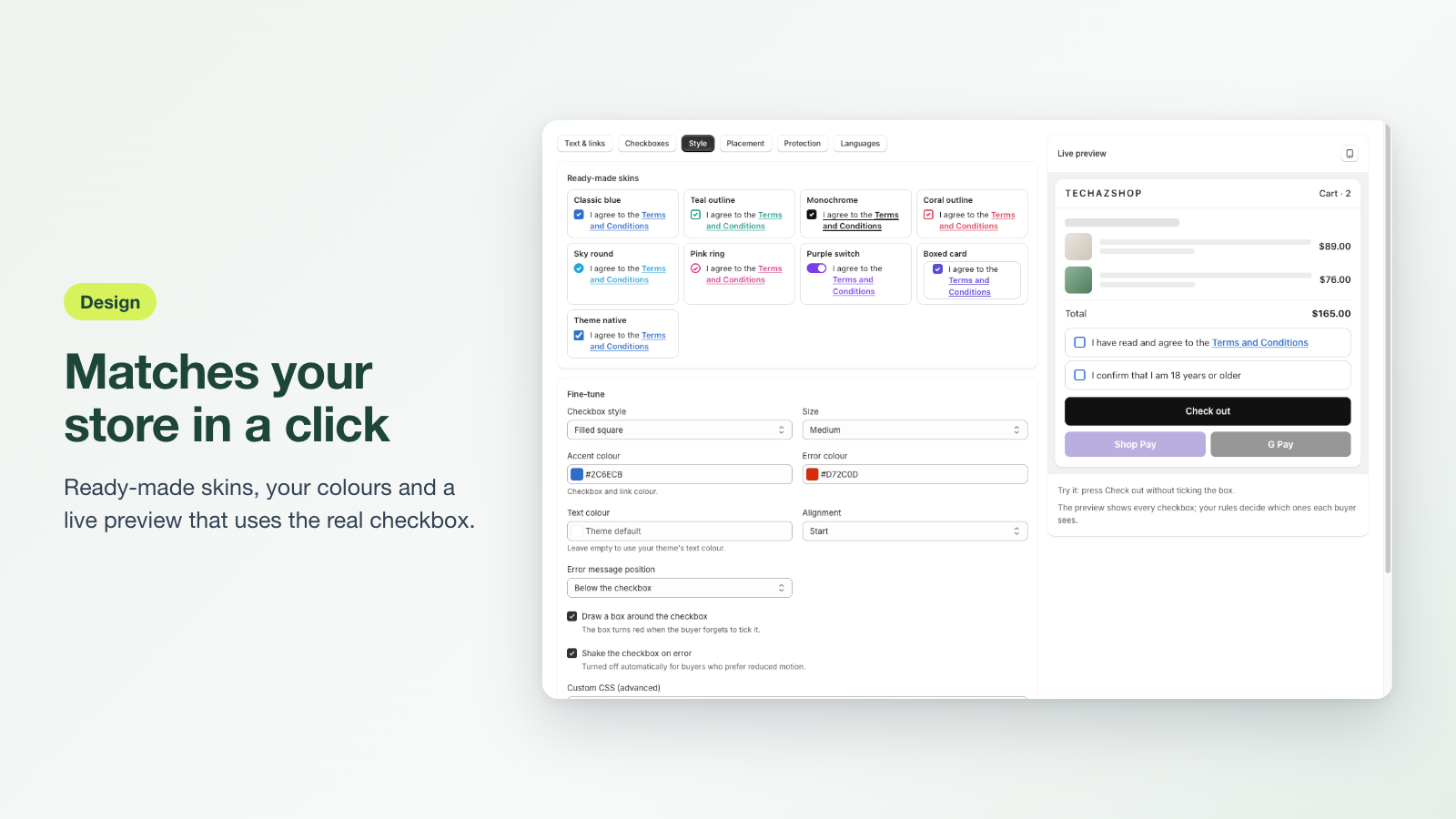
Looks like your theme
Eight skins, your colours and custom CSS, and 15 languages ready-made, each with your own wording.
Three steps, then it runs on its own.
- 01
Install and turn on the app embed
One click opens your theme editor with AgreeFirst ready. Press Save. Nothing is added to your theme code.
- 02
Pick a skin and link your policies
Choose a look, link Terms, Privacy or Refund policy, and write the message in your own words.
- 03
Try it in test mode, then go live
Only you see it while testing. Go live when it looks right; orders then carry the record.
Free does the job. Pro makes it airtight.
Billed through Shopify, nothing extra to sign up for. Pro is free on development stores.
- Terms checkbox on the cart page, cart drawer and product page
- Buy it now that keeps the buyer's cart
- 1 extra checkbox, such as an 18+ age check, on every cart
- Checkbox on the account sign-up and contact forms
- Pauses Shop Pay, Apple Pay and Google Pay until the buyer agrees
- 8 skins, colours, custom CSS, popup, manual placement
- 15 languages ready-made, your own wording per language
- Date, time and terms version on the order, thank-you receipt
7-day free trial
- Everything in Free
- Strict mode: Shopify itself blocks orders without consent, even from express buttons, direct checkout links or buyers with JavaScript off
- Up to 3 extra checkboxes
- Show-when rules: ask only when the cart has certain tags, vendors, product types or collections, or for buyers in certain countries
- Checkbox inside checkout on Shopify Plus, Shop Pay included
Good to know
The checkbox doesn't show on my store.
Make sure the AgreeFirst app embed is on (Home › step 1) and the app is turned on. If test mode is on, add ?terms_test=1 to your store address; it stays on for this browser tab. On an unusual theme, add your checkout button's CSS selector under Settings › Placement › Theme compatibility.
Where do I see that a buyer agreed?
Open the order in Shopify admin. Under Additional details you'll find the date, time and terms version the buyer agreed to. The time uses your store's time zone, also when the buyer agrees inside checkout on Shopify Plus. Each extra checkbox has its own line.
Does it work with Shop Pay, Apple Pay and Google Pay?
By default those buttons are paused until the buyer ticks the box. Turn on strict mode to have Shopify block any order without consent, whichever button the buyer used.
What is strict mode?
A Shopify checkout rule that runs on Shopify's servers. It checks every order for the consent record before payment, so it can't be skipped by turning off JavaScript or opening the checkout link directly. You'll see it under Settings › Checkout › Checkout rules.
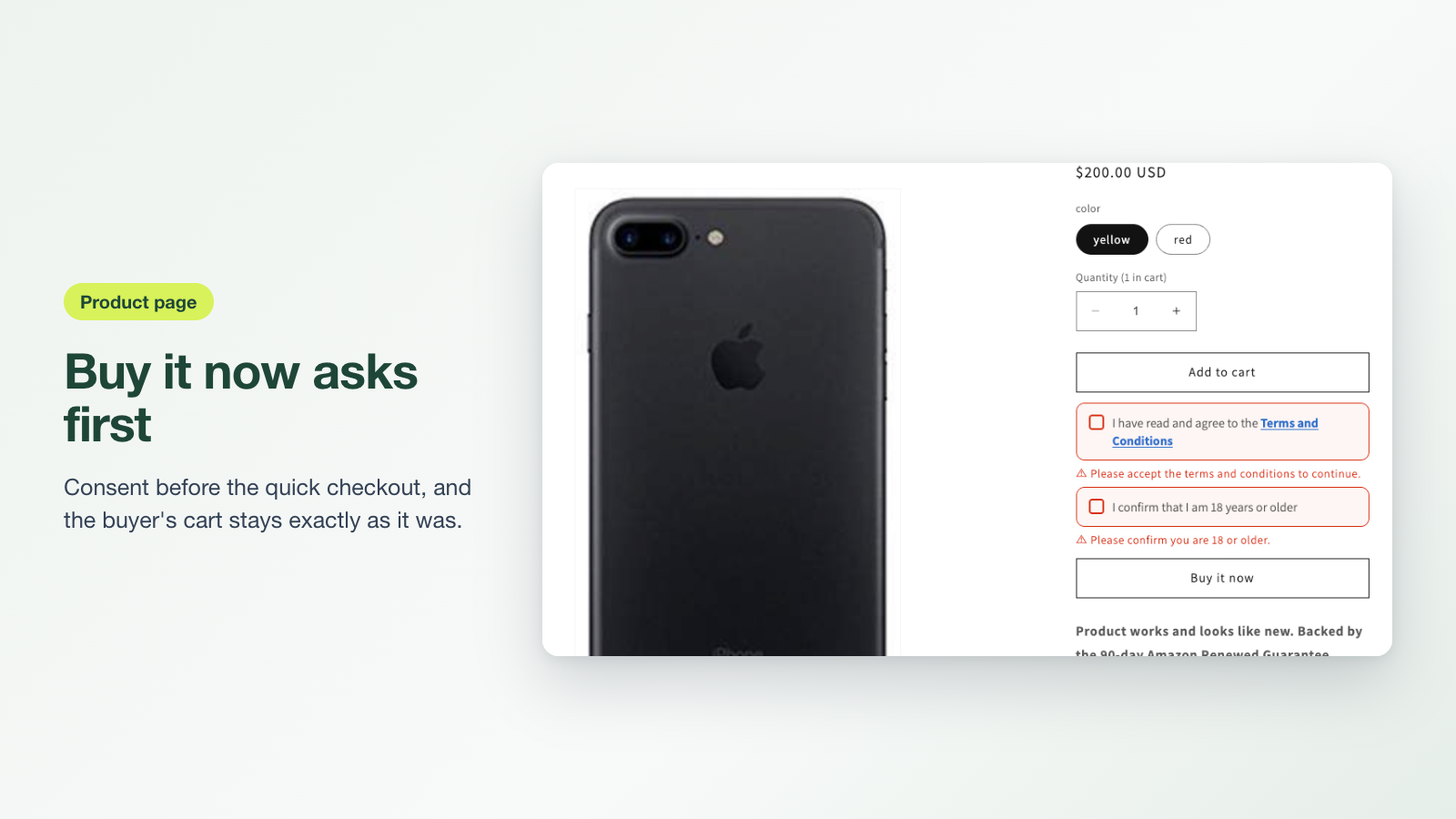
What about Buy it now on product pages?
Turn on Settings › Placement › Product page and the checkbox shows above Buy it now. By default Shopify's Buy it now and Buy with Shop stay paused until the buyer ticks the box. Shopify's own button starts a checkout that can't carry the consent, so those orders don't get the record; to save it, choose “Use AgreeFirst's Buy it now”: it asks first, then goes straight to checkout with the consent on the order and the buyer's cart left as it was. With strict mode on (and no checkbox inside checkout), AgreeFirst's button is always used.
I share checkout links in ads or emails. Are they covered?
A link that jumps straight to checkout skips your store, so nobody can tick the box. Link to the product page instead, or add storefront=true to a cart link (for example /cart/123456:1?storefront=true) so it opens your cart, where the checkbox is. With strict mode on, links that still go straight to checkout are blocked and the buyer is told to go back to the store. Never put a ready-made “Terms accepted” value in a link: that records consent the buyer never gave.
Questions before you install?
Talk to the people who build the app. We usually answer within one business day.